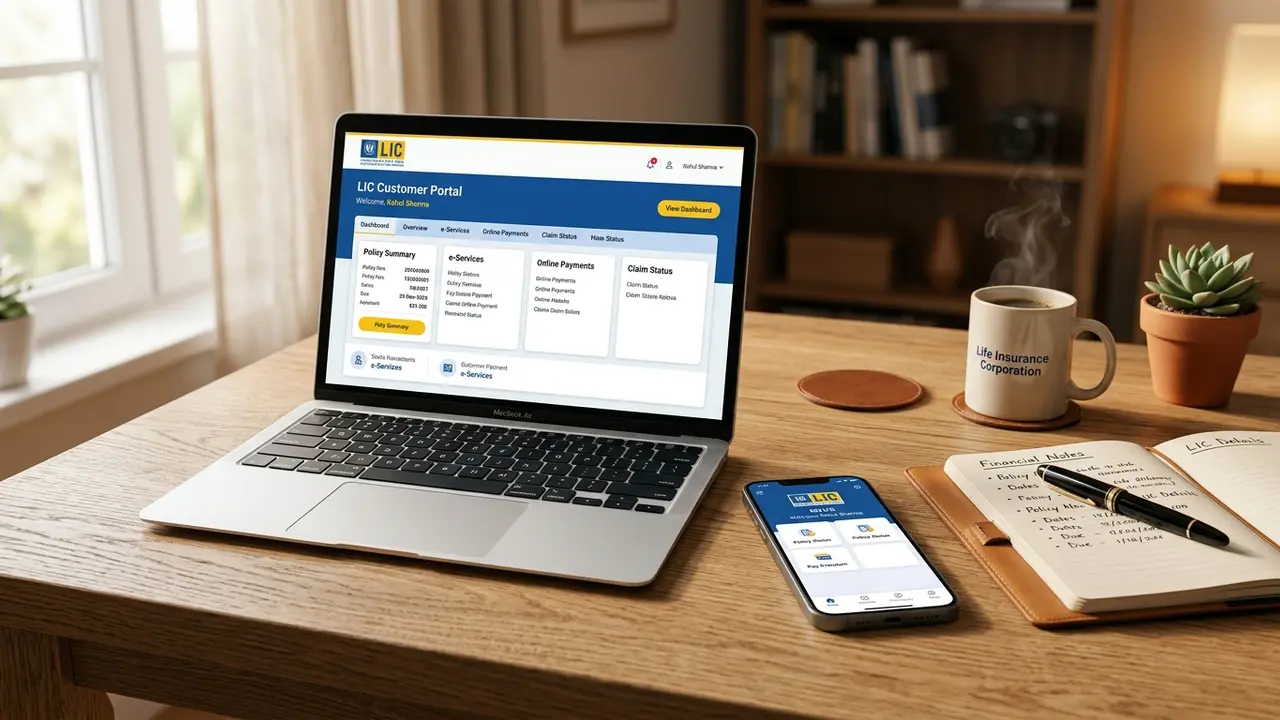
Managing life insurance policies across multi-decade tenures has historically required physical visits to Life Insurance Corporation of India (LIC) branch offices, waiting in cash collection lines, and mailing physical paper dockets. In 2026, the Corporation's modernized digital ecosystem—anchored by the LIC Customer Portal (ebiz.licindia.in/b2c) and the official MyLIC Mobile App—has rendered physical branch dependency obsolete for over 90% of routine policy servicing workflows.
Whether you need to download your consolidated Section 80C Premium Paid Certificate for tax filing, execute an emergency online policy loan disbursed directly via NEFT, track your money-back survival benefits, or link your entire family's policies under a single umbrella, this definitive actuarial guide provides the exact operational blueprints. Below, we break down registration protocols, error workarounds, Premier Services upgrades, biometric mobile configurations, and account security frameworks.
1. Overview of LIC Digital Architecture: Basic vs Premier Services
To safeguard policyholder financial privacy under the Information Technology Act 2000 and IRDAI (Protection of Policyholders' Interests) Regulations, LIC enforces a two-tier security boundary within its customer portal architecture:
Tier 1: Basic Services (Registered User)
Instant ActivationActivated immediately upon verifying your policy number, basic premium amount, date of birth, and email/SMS OTP. Basic Services provide read-mostly information access and inbound payment facilities. Users can view policy schedules, status (in-force, lapsed, paid-up), loan interest quotations, premium due calendars, pay renewal premiums via UPI/NetBanking, and download individual or consolidated premium paid tax certificates.
Tier 2: Premier Services (e-Services Verified)
KYC & Biometric e-Sign RequiredRequires a secondary digital or branch KYC underwriting audit, linking self-attested identity proof (Aadhaar/Passport), PAN card, and a pre-printed cancelled cheque leaf. Premier Services unlock full financial transaction capabilities, including paperless online policy loan applications with direct NEFT bank disbursements, online policy revival requests, address modifications, electronic policy bond downloads, ULIP fund switches, and live claim status tracking.
| Feature / Service Module | Basic Services | Premier Services | Regulatory / Security Rationale |
|---|---|---|---|
| Renewal Premium Payments | Supported | Supported | Zero fraud risk on inbound capital payments |
| 80C Tax Receipts & Premium Calendar | Supported | Supported | Standard policyholder compliance document |
| Policy Status & Loan Interest Quotes | View Only | View & Transact | Basic quotes do not disburse contractual funds |
| Online Policy Loan Disbursement | Not Allowed | Fully Online (NEFT) | Requires verified bank ownership & KYC docket |
| Online Policy Revival Application | Not Allowed | Fully Online | Involves underwriting health declarations |
| Change of Address & Contact Details | Branch Request Only | Online with DigiLocker | Prevents interception of policy communications |
| e-Policy Bond & Endorsement Download | Not Available | Cryptographically Signed | Legal contract document with evidentiary value |
| ULIP Fund Switching & Redirection | Not Allowed | Real-Time Execution | Affects unit values and investment risk profiles |
Registering for Basic Services takes less than three minutes and should be done immediately upon receiving your first policy bond. However, you should proactively upgrade to Premier Services right away rather than waiting for an emergency. When you require an urgent policy loan or need to revive a policy, waiting for branch verification of KYC documents can cost 3 to 5 business days.
2. Step-by-Step New User Registration on LIC Customer Portal
The official portal registration engine is hosted on LIC's centralized e-Business gateway at ebiz.licindia.in/b2c/. Before beginning, ensure you have your physical policy bond or First Premium Receipt (FPR) in front of you.
When entering your premium amount during registration, you must enter the Installment Premium without GST/Taxes. For instance, if your bank account was debited ₹10,450 (which includes 4.5% first-year GST), entering ₹10,450 will immediately trigger an "Entered premium does not match master records" error. You must enter the exact base premium of ₹10,000 as printed under the "Basic Premium" column on your policy schedule.
Access Official Gateway & Click 'New User'
Visit ebiz.licindia.in/b2c/. On the main login panel, locate the registration section and click "Don't have an account? Sign Up" or "New User". Never use unverified third-party search engine landing pages.
Input Primary Verification Fields
Fill in the mandatory verification matrix:
- Policy Number: 9-digit numerical policy identifier without slashes or spaces.
- Installment Premium: Basic premium excluding GST, cess, and modal loadings.
- Date of Birth: In DD/MM/YYYY format, exactly matching the proposal form docket.
- Mobile Number: Active Indian 10-digit mobile number for OTP routing.
- Email ID: Active personal email address for verification tokens and statements.
- Gender: Male, Female, or Third Gender matching policy records.
- PAN / Passport Number: Enter your 10-character Permanent Account Number.
Consent Declaration & Data Transmission
Review the statutory declaration checkbox confirming that you are the lawful policyholder or proposer entitled to access policy records. Click "Proceed". The system performs an instantaneous database lookup against LIC's central underwriting engine.
Dual-Channel OTP Authentication
LIC dispatches a 6-digit One-Time Password (OTP) to your registered mobile number via SMS and simultaneously transmits a confirmation token to your registered email address. Enter the OTP within the 5-minute validity window.
Set Master Password & Create User ID
Choose a unique User ID (or select your email/mobile as the primary identifier). Create a strong master password adhering to LIC security protocols: between 8 and 30 characters, incorporating at least one uppercase letter, one lowercase letter, one numeric digit, and one special character (such as @ # $ % ^ & *).
Registration Complete & Welcome Login
Upon successful submission, the portal displays a green confirmation dialogue. An official welcome email containing your User ID is delivered to your inbox. You can immediately return to the login interface and access your Basic Services dashboard.
3. Enrolling Self & Family Policies Under a Single Dashboard
Most Indian households maintain multiple LIC policies across earning spouses, children, and retired parents. Rather than managing fragmented usernames and credentials, LIC's customer portal allows policyholders to aggregate an entire household insurance portfolio under a single unified master dashboard.
A. Enrolling Additional Self Policies
When you purchase subsequent policies under your name, modern policies with matching PAN numbers and dates of birth are frequently linked automatically via LIC's centralized deduplication engine. However, older policies or policies purchased through different divisional offices must be enrolled manually:
- Log into your portal account and navigate to "Customer Services" → "Add Policy" / "Enroll Policy".
- Select Relationship as "Self".
- Enter the 9-digit Policy Number and basic installment premium.
- Click "Submit". The system instantly verifies your DOB against the existing profile docket and enrolls the policy into your central dashboard.
B. Enrolling Spouse Policies
Under Indian insurance regulations, a life insurance contract represents an individual legal covenant. You can add your spouse's policies to your portal dashboard for monitoring payment schedules, premium calendars, and downloading receipts by selecting the relationship as "Spouse" and providing their exact DOB and premium.
While spouse policies appear on your family calendar for premium tracking and 80C receipt downloads, you cannot execute financial transactions (such as taking a policy loan, altering nomination, or requesting surrender) on your spouse's policy from your master account. Under the Married Women's Property Act (MWPA) and contract law, your spouse must create their own independent KYC-verified portal account to execute financial operations.
C. Enrolling Minor Children Policies & The Age 18 Vesting Rule
For child plans (such as Amritbaal Plan 874, Jeevan Tarun Plan 934, or Single Premium Children's Money Back Plan 832) where the parent acts as the Proposer:
- Select Relationship as "Child" and enter the child's policy number and birth date.
- As the proposer, the parent exercises complete transactional control over the policy during the child's minority.
- The Age 18 Statutory Vesting Clause: Under Section 39 of the Insurance Act 1938, the moment the child celebrates their 18th birthday, title and ownership of the policy legally vest in the child. The policy automatically transitions from the parent's control, requiring the young adult to register their own independent LIC portal account to execute future claims or loan transactions.
4. How to Upgrade to Premier Services (Paperless e-Services)
Upgrading your customer portal account to Premier Services transforms a passive viewing portal into an active transactional financial command center. Until recently, policyholders were required to print a physical registration form and visit their home servicing branch. In 2026, LIC offers a 100% paperless online upgrade workflow:
Initiate Premier Services Registration
Log in to your basic portal account. In the top navigation ribbon, click "Premier Services" or locate the banner reading "Service Requests → Registration for Premier Services".
Select Policies for e-Services Activation
The screen populates all enrolled self-policies. Check the boxes beside each policy you wish to upgrade to Premier Services. Note that all selected policies must bear identical name and PAN records.
Upload KYC Dossier (PDF / JPEG under 100 KB)
Prepare clear, self-attested digital scans of three mandatory documents:
- Self-Attested PAN Card: Clear scan with signature matching policy docket.
- Self-Attested Identity & Address Proof: Aadhaar Card (masked), Valid Passport, or Voter ID.
- Cancelled Cheque Leaf: Must feature your pre-printed name, account number, and bank IFSC code. If your cheque leaf is unpersonalized, attach an attested bank passbook front page.
Digital e-Sign via Aadhaar OTP
The portal generates the formal Premier Services Registration Form (e-Serv Form) pre-filled with your details. Review the terms, click "e-Sign", enter your 12-digit Aadhaar number, and input the OTP sent to your UIDAI-registered mobile number to legally execute the application.
Branch Audit & Final Approval
The digital docket routes electronically to your home servicing branch's CRM terminal. The claims officer audits your signature against the original proposal micro-fiche. Approval turnaround takes 24 to 72 working hours. You receive an approval confirmation SMS and email, after which all transactional modules unlock instantly.
5. Full Catalog of Premier Services: Loans, Revivals & Claims
Once your Premier Services registration is activated, your portal account unlocks advanced financial features that eliminate the need to ever visit a physical branch counter:
1. Paperless Online Policy Loans
Zero Physical Bond DepositUnder traditional procedures, taking a loan required surrendering your physical policy bond to branch custody. Under Premier Services, the portal calculates your exact eligible loan limit (up to 90% of Surrender Value for active policies and 85% for paid-up policies). You accept the interest rate (currently 9.5% p.a. compounding half-yearly for FY 2026-27), execute an Aadhaar e-Signed loan agreement, and the proceeds are credited directly into your verified bank account via NEFT within 24 to 48 hours!
2. Online Policy Revival of Lapsed Plans
Direct CalculationIf your policy lapsed due to unpaid premiums within the last 5 years, you can execute an Ordinary Non-Medical Revival online. The portal calculates the exact outstanding premium arrears plus penal late interest, prompts an online Declaration of Good Health (DGH), and allows immediate checkout via UPI or NetBanking. In-force status is restored within 24 hours.
3. Change of Address & Contact Credentials
DigiLocker IntegrationRelocating to a new city no longer requires submitting utility bills to branch clerks. Premier Services connects directly with DigiLocker and UIDAI. Upon authenticating via Aadhaar OTP, your updated residential address is synchronized across all enrolled policies simultaneously, updating servicing records in real time.
4. Real-Time Claim & Survival Benefit Tracking
Milestone VisibilityTrack the progress of upcoming Money-Back survival benefits, maturity discharge vouchers, and death claim settlements. The portal displays underwriting stages: from document receipt and auditor vetting to NEFT payment release and bank UTR numbers.
5. ULIP Fund Switching & Redirection
Market Nav Real-TimeFor market-linked plans (such as Nivesh Plus Plan 849, SIIP Plan 852, or Index Plus Plan 873), Premier Services allows policyholders to execute four free annual fund switches between Growth, Balanced, and Bond funds online, alongside redirecting future premium allocations.
6. The MyLIC Mobile App: Installation, Biometrics & Setup
For policyholders who prefer managing finances on smartphones, LIC's official mobile application—MyLIC (available natively on Google Play Store and Apple iOS App Store)—mirrors the desktop customer portal with smartphone-native conveniences like biometric login and push alerts.
Over a dozen unauthorized third-party apps mimic LIC branding on mobile app stores to harvest policy numbers and credentials. When installing the app, verify that the publisher/developer name is explicitly listed as Life Insurance Corporation of India. Never install unverified APK files from WhatsApp forwards or external download links.
Download & Install MyLIC
Search for "MyLIC" on the Google Play Store (Android) or Apple App Store (iOS). Tap Install and grant the necessary camera permissions (for QR scanning) and notification permissions.
First-Time Login with Portal Credentials
Open the app. You will see two primary buttons: "Pay Direct (Without Login)" and "Registered User Login". Tap Registered User and enter your Customer Portal User ID/Email and Master Password.
Configure 4-Digit MPIN & Biometric Authentication
Upon your first successful login, the app prompts you to establish a secure 4-digit MPIN. Toggle the switch to enable Fingerprint Unlock / Face ID. On all future sessions, you can unlock your complete portfolio instantly without typing long alphanumeric passwords.
Set Up Push Notifications & Premium Reminders
Navigate to App Settings and enable Premium Alerts. The app will automatically ping you 15 days, 7 days, and 1 day prior to premium due dates, as well as notify you when the 30-day grace period is about to expire, preventing inadvertent policy lapses.
7. Account Recovery Protocols: Forgot User ID, Password Reset & Unlocking
Because insurance policies run for 15 to 30 years, policyholders frequently misplace login credentials between annual premium cycles. LIC provides automated self-service recovery protocols for every credential issue:
Protocol 1: Recovering Forgotten User ID
If you forgot your User ID:
- Navigate to the login screen at
ebiz.licindia.in/b2c/and click "Forgot User ID". - Input your 9-digit Policy Number, basic installment premium, and Date of Birth.
- Click "Submit". The portal validates the information and instantly transmits your registered User ID to both your mobile number via SMS and your registered email address.
Protocol 2: Resetting Forgotten Master Password
If you know your User ID or registered email but forgot your password:
- Click "Forgot Password" on the main login modal.
- Enter your User ID and Date of Birth.
- Select your preferred OTP delivery channel: "Send OTP to Registered Mobile" or "Send OTP to Registered Email".
- Enter the received 6-digit OTP and choose a new password conforming to security guidelines. You can log in immediately with the new password.
Protocol 3: Unlocking a Blocked or Locked Account
Under LIC's cyber protection parameters, entering an incorrect password three consecutive times triggers an automated security lockout to thwart brute-force password guessing attacks:
By default, a locked account automatically resets after 24 hours. However, if you need urgent access to pay a premium before the grace period ends, do not wait 24 hours. Click the "Unlock User Account" hyperlink on the login page. Enter your User ID, DOB, and policy number. The system will authenticate you via SMS OTP and instantly unlock your credentials without requiring branch intervention.
8. Common Portal Errors & Fixes: Registration & Login Glitches
When registering or executing transactions on the LIC Customer Portal, policyholders commonly encounter specific technical error codes. Below is the comprehensive troubleshooting matrix compiled by the LIC Sodho Actuarial Desk:
| Error Message Encountered | Actuarial Root Cause | Immediate Technical Fix |
|---|---|---|
| "Policy already registered with another user" | The policy was previously registered under an old forgotten email ID, or an insurance agent registered it during policy onboarding without informing you. | Use Forgot User ID using that policy number to discover the bound username. If the bound email belongs to an agent or is obsolete, send an email to your branch helpdesk (bo_[branchcode]@licindia.com) with a self-attested bond scan requesting "Portal Policy De-linking". |
| "Entered premium does not match records" | You included GST (4.5% first year or 2.25% renewal), rider extra, or late fees into the installment premium box. | Look at the First Premium Receipt (FPR) or policy bond schedule. Enter only the Basic Installment Premium, completely omitting tax lines and decimal paise. |
| "DOB / Name mismatch with master records" | Clerical data entry typo made 15–20 years ago when digitizing physical proposal forms into the branch terminal (e.g. flipped month and day). | Check the printed date of birth on the face page of your physical policy bond. Enter the exact date printed on the bond, even if it contains a typo. Once registered, submit Form 3251 at the branch with your Aadhaar/School Leaving Certificate to correct master records. |
| "OTP not received on mobile number" | Telecom DND (Do-Not-Disturb) blocking banking shortcodes, national SMS gateway latency, or obsolete phone number registered in LIC's master database. | Check your registered email inbox (LIC sends OTP simultaneously to both channels). If your mobile number has changed, use the LIC SMS Helpline or update your mobile via Premier Services DigiLocker integration. |
| "Session Expired / Security Token Invalid" | Browser cache conflict, clicking the browser's 'Back' arrow instead of in-page navigation buttons, or exceeding the 15-minute inactivity limit. | Open an Incognito / Private Browsing window. Clear all browser cookies for licindia.in. Always use on-screen buttons rather than your browser's back button. |
9. Distinct Portals: Customer vs Merchant vs Agent ANANDA
A frequent source of confusion among policyholders is stumbling upon alternative login portals hosted under the licindia.in domain. LIC maintains three completely distinct, compartmentalized digital platforms designed for different stakeholder groups:
| Portal Platform | Primary URL Gateway | Authorized User Base | Core Operational Scope |
|---|---|---|---|
| Customer Portal (e-Services) | ebiz.licindia.in/b2c | Individual Policyholders & Proposers | Managing personal policies, viewing premium calendars, applying for loans, paying renewals, downloading 80C tax receipts. |
| Merchant Portal (Premium Point) | merchant.licindia.in | Authorized Premium Collection Merchants | Collecting cash and cheque premium payments from the public, issuing official collection receipts, generating daily collection scrolls. |
| ANANDA & Agent Portal | ananda.licindia.in | Licensed LIC Agents & Development Officers | Onboarding brand-new insurance proposals 100% paperlessly using Aadhaar e-KYC, underwriting validation, agency commission tracking. |
Customer Portal credentials belong exclusively to you. Insurance agents or merchants cannot service your policy through their respective portals using your customer password. Never share your Customer Portal User ID, password, or Aadhaar OTP with any agent, as doing so grants access to execute unauthorized policy loans or alter banking instructions.
10. Security Safeguards: 2FA, Session Rules & Anti-Phishing
Because life insurance policies accumulate significant cash surrender values and mature into multi-lakh payouts, the LIC Customer Portal represents a prime target for financial fraudsters. Protect your account by adhering to these mandatory cybersecurity protocols:
1. Mandatory Two-Factor Authentication (2FA)
LIC automatically enforces mandatory 2FA. While basic viewing requires only User ID and password, every critical operation—such as adding a bank account, executing an online loan, altering an address, or viewing full nominee particulars—triggers a mandatory high-entropy OTP to your registered phone and email. Never approve an OTP prompt that you did not personally trigger.
2. 15-Minute Session Inactivity Timeout
The portal terminates inactive sessions automatically after 15 minutes to prevent unauthorized access on shared or workplace computers. Always explicitly click the "Logout" icon in the top right corner when terminating a session, rather than simply closing your browser tab.
3. Anti-Phishing & SMS Spoofing Verification
Scammers routinely send SMS and WhatsApp messages claiming: "Your LIC Policy #XXXXXXXX will be cancelled due to unpaid bonus tax. Click here to verify your bank account." Official LIC notifications will NEVER direct you to third-party domains. Always ensure the URL displays licindia.in or ebiz.licindia.in with a verified SSL padlock. LIC officials will never call to request your UPI PIN or debit card CVV.
Content validated against IRDAI (Protection of Policyholders' Interests) Regulations, Information Technology Act 2000, and Life Insurance Corporation of India Master e-Services & Customer Portal Operating Circulars (2025-2026).